Generate a random strong password in cPanel

If you would like to quickly generate a strong password, you can use the Change Password feature in cPanel to do so. If you wanted to actually change your cPanel password instead of just copying the password you can use it.


  1. Login to cPanel

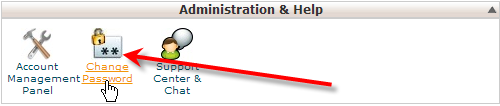
  2. click on change password
     

    Under Administration & Help, click on Change Password
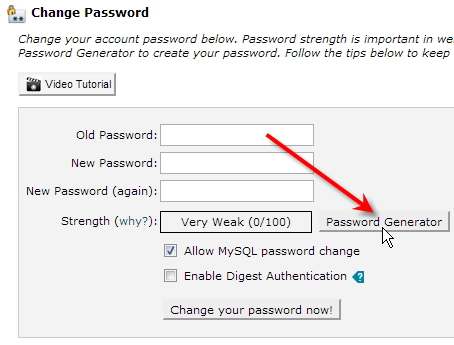
  3. click on password generator
     

    Next click on the Password Generator button
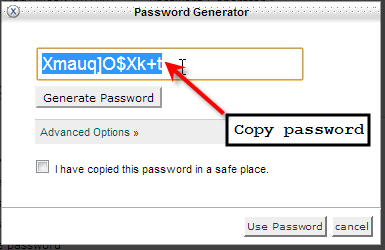
  4. copy password
     

    Finally, select the generated password and hit Ctrl-C to copy it

  • 0 משתמשים שמצאו מאמר זה מועיל
?האם התשובה שקיבלתם הייתה מועילה

מאמרים קשורים

How to manage e-mail accounts in Plesk

How to manage e-mail accounts in Plesk This article describes how to create, modify, and delete...

Email Configuration for Cpanel users

Mail Client Manual Settings Secure SSL/TLS Settings (Recommended) Username: your...

Phishing emails

One of the most prevalent methods of scams is phishing. "Phishing:" (pronounced fishing ) emails...

Powered by WHMCompleteSolution